 Add to your server
One search for everything
Gear and Brand Sets, exotics, Named items, talents, Augments, Surge and Overdrive events, Escalation.
 ProtoTrack
B.E.A.C.O.N. by ProtoTrack answers !intel with clear info cards for gear sets, brands, exotics, talents, events and Escalation. Ask once and the whole channel sees it.
No Administrator permission · No DMs · Pings only for members who opt in
!intel strikerGear set card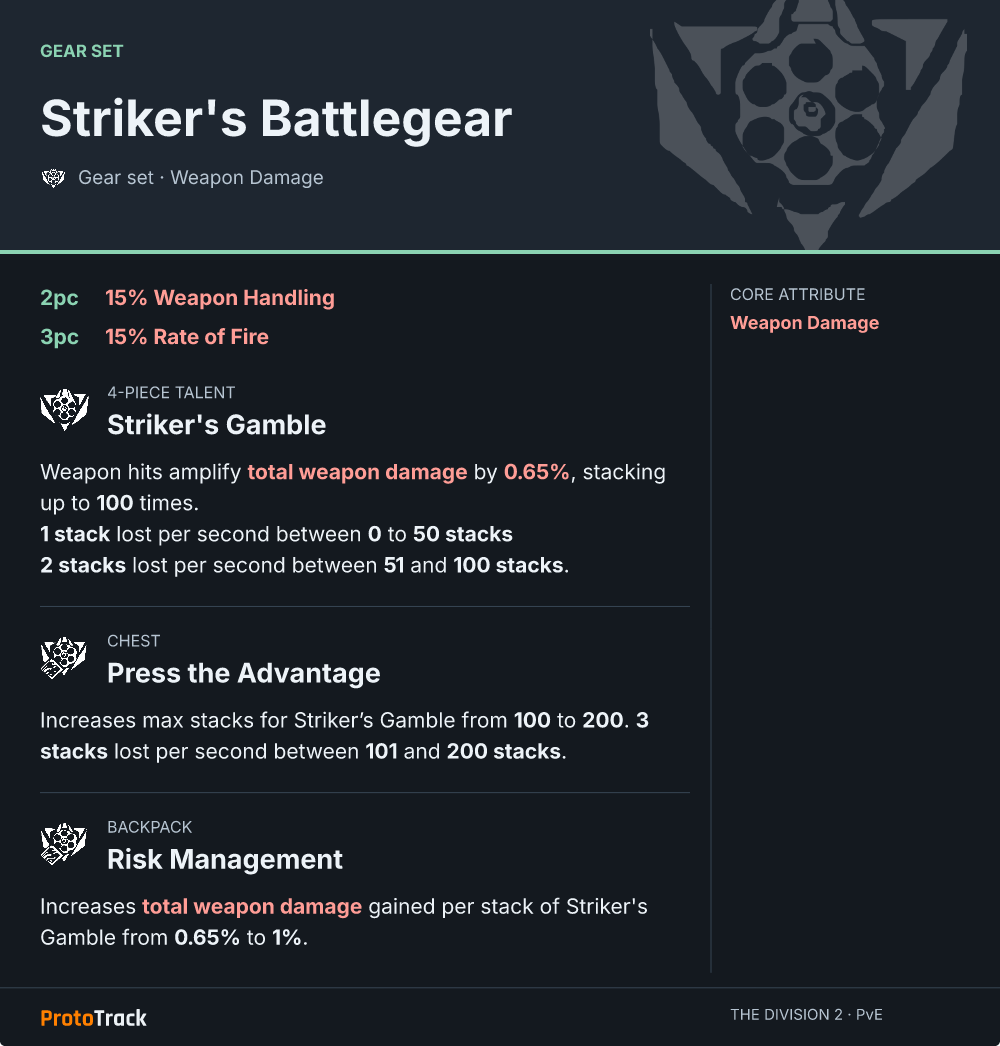
Gear and Brand Sets, exotics, Named items, talents, Augments, Surge and Overdrive events, Escalation.
A calendar overview that updates itself. Members choose to get pinged when an event starts.
Short names, missing accents and small typos still find the right card. !intel ceska works.
!intel memento!intel glass cannon!intel expertiseChoose your server. The installing account needs Manage Server.
Give the bot its five channel permissions in the channel where members ask for intel.
The bot checks its permissions and posts a quick guide with examples for your members.
/intel setup channel:#intel events_channel:#eventsevents_channel is optional and turns on the calendar overview and start pings. Check everything with /intel status.
Only members with Manage Server see and use these. Replies are only visible to you.
/intel setup channel:#intel!intel replies. Running it again replaces the channels. Optional: events_channel:#events for the calendar overview and start pings./intel status/intel disableType !intel and a name.
!intel!intel 1 … !intel 8!intel 1 to !intel 8 within 90 seconds.Pings work on servers with an events channel. Nobody is subscribed by default; there are no DMs and no roles.
!intel events!intel events on!intel events off!intel events status/intel is not visible/intel setup again. Nothing is saved until all permissions are in place.!intel/intel setup, that you can view and send there and that you accepted the server rules. The bot does not reply in threads, forums or DMs./intel setup again with events_channel and allow the five channel permissions there. If a moderator deletes the overview, the bot posts a new one.!intel events on. Only confirmed start times ping; unclear or unconfirmed dates never do./intel disable or remove the bot from the server. Both delete the server's settings and opt-ins.!intel <name> with Intel cards for gear and Brand Sets, exotics, Named items, talents, Augments, Surge and Overdrive events and Escalation guides.!intel events with a self-updating calendar overview and opt-in start pings./intel setup, /intel status and /intel disable for server admins, with a pinned quick guide after setup.